Free Chrome Extension · Works inside Gmail · No card required
Trusted by Productive People
TESLA
X
NETFLIX
Meta
Setup in 2 minutes
Lisa Park — Contract review
Act
Chase — Payment received
Know
Dev Team — Deploy approval
Act
Morning Brew — Daily digest
Browse
FedEx — Package delivered
Know
EmailZap classifies everything
Every email is routed to Act, Know, or Browse. Instantly. No rules to set up.

Install the extension
Add EmailZap from the Chrome Web Store. Two clicks. Under 30 seconds.
Good morning
Act — 3 emails need you
LP
Lisa — Contract review
DT
Dev Team — Deploy approval
MR
Maria — Budget sign-off
+ 6 in Know · 41 sorted into categories
Open your briefing
Your Act tab is ready. Your Know tab is populated. Every email is categorized. Done.
✓
One-line action summary on every email
✓
Due dates extracted automatically, overdue items flagged
✓
✓
✓
10+ smart categories, zero setup
✓
Newsletters never mixed with action items again
Fresh start, every day
Handled emails move to categories. Seen items archive themselves. Tomorrow morning, clean slate.
☀️
Morning: Only what's new
Act shows today's action items. Know shows overnight updates. No backlog.
🌙
Evening: Everything handled
Acted-on emails move to categories. Seen items clear out. Tomorrow starts fresh.
✓
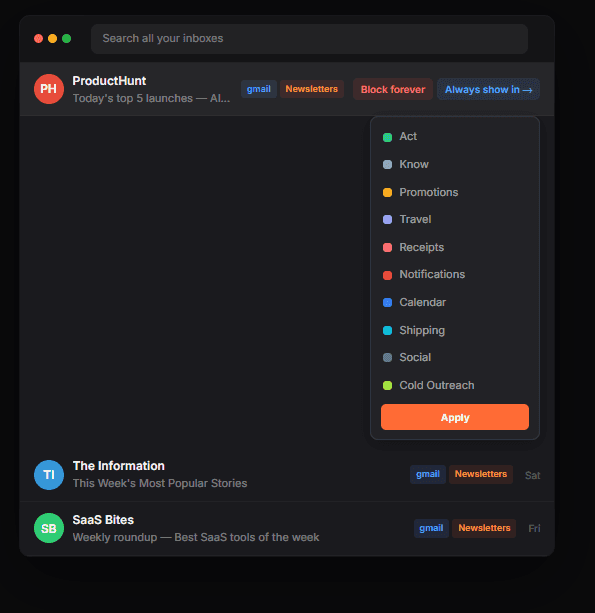
Sender-level memory — one correction, permanent fix
✓
Block forever — one click, never see them again
Blazing fast
Instant tab switching. Instant categorization. No spinners. Everything runs as a Chrome extension.
✓
Installs in 30 seconds — no migration needed
✓
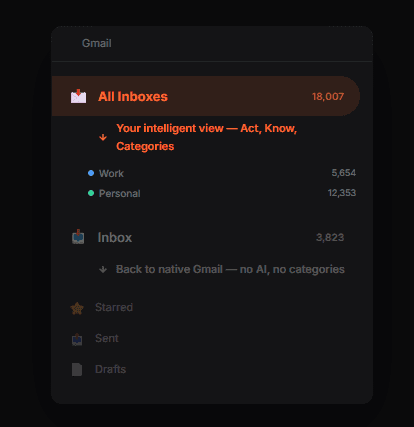
No setup or clunky connections required.
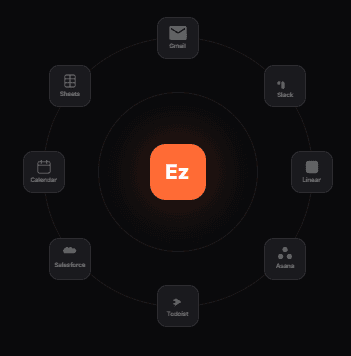
Features you can rely on.
⌘
K
Built for Speed
EmailZap is blazingly fast to use.
Automatic Updates
EmailZap manages the little things for you.
Sep 16
Booked hotel in Bali for the 12th
Sep 14
Invoice from Acme Corp — $4,200
Sep 12
Contract with Stripe renewed
Frictionless Search
Find anything by just asking.
Private by Design
Your data is never sold or used to train third-party AI models.
Rules
12 automations active
Delete
Remove all data & disconnect
Complete Control
Delete or remove your data at any time.
Is this another email client I have to switch to?
What if the AI miscategorizes an email?
Does EmailZap read my emails?
What happens to emails I handle in Act?
How is this different from Gmail's categories?
Will it slow down Gmail?
Does it work with multiple Gmail accounts?
Free Chrome Extension · Works inside Gmail · No card required

Early Beta User